
Payroll
Working in Payroll
Run payroll each period — create, calculate, adjust, approve and post a pay run, then download and email payslips.
Pay Runs
Payroll → Pay Runs lists every run with its status, period, headcount, net pay and pay date. Filter by status to see what is waiting for you. In per-organisation mode the list shows the selected organisation's runs.
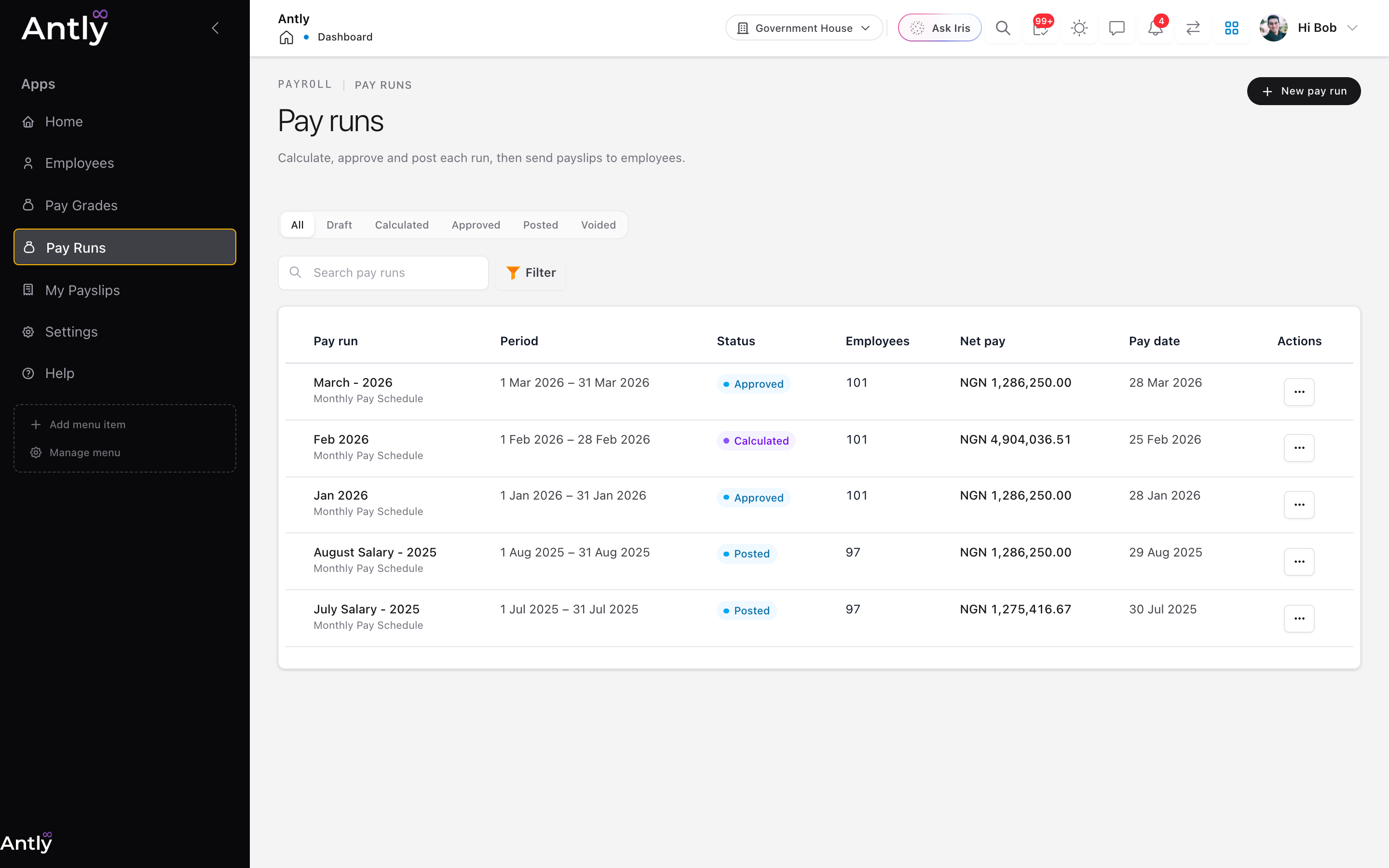 Pay runs, filterable by status.
1. Create a Pay Run
Choose New pay run, then:
- Pick the pay schedule.
- Choose the period: a calendar month (the usual choice) or custom start and end dates.
- Set the pay date. Leave the name blank to name the run after the period.
Runs on the same schedule cannot overlap. Schedules set to run automatically create their own runs on the pay date.
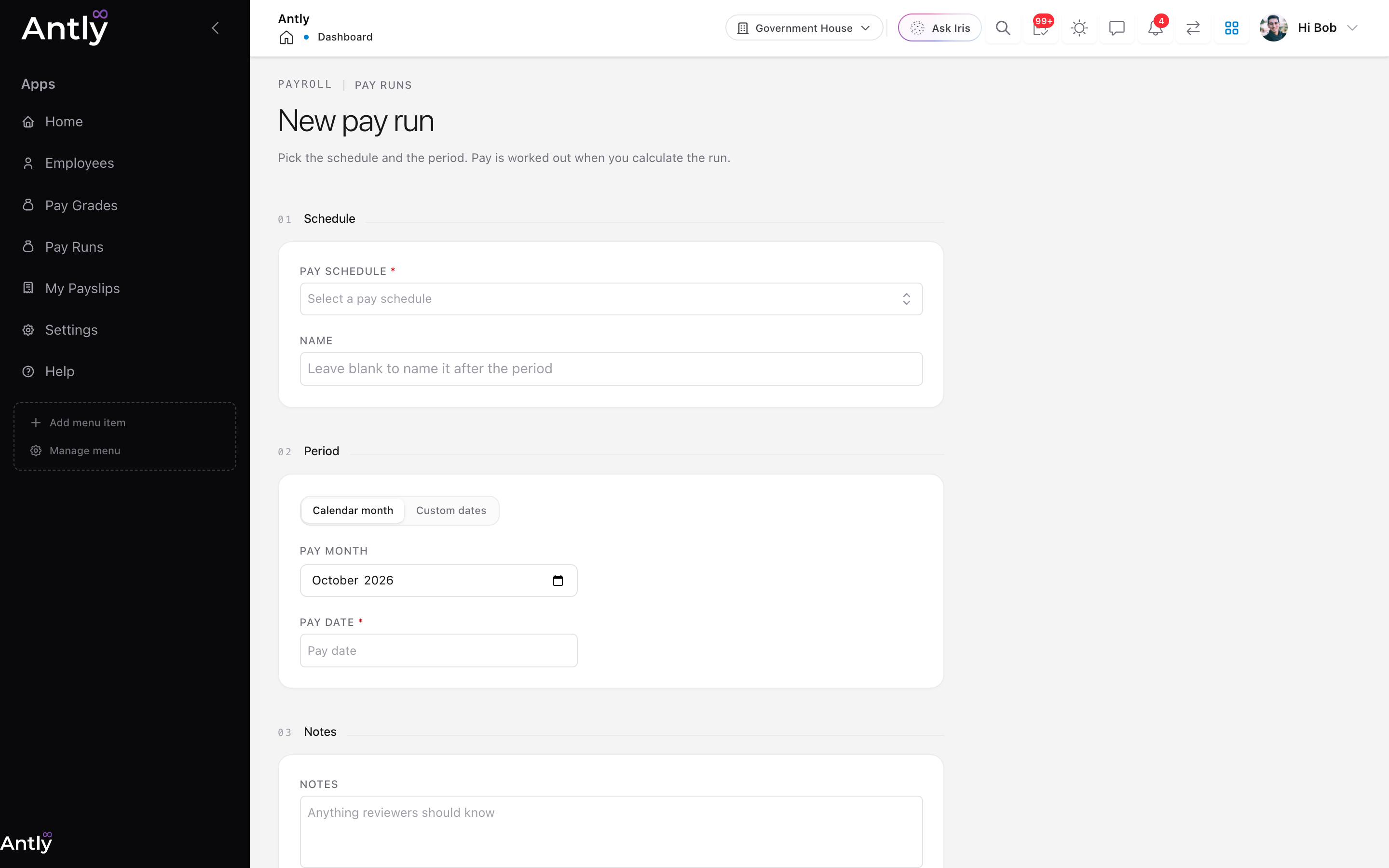 Creating a pay run: schedule, pay month and pay date.
2. Calculate
Choose Calculate. Antly works out pay for everyone the schedule covers and opens the Summary tab: headcount, gross pay, deductions as a share of gross, and net pay. Anyone who could not be paid, for example because they have no salary or grade, is listed by name with the reason.
You can recalculate as often as you like until the run is approved. Each calculation starts again from current salaries, policies and approved adjustments.
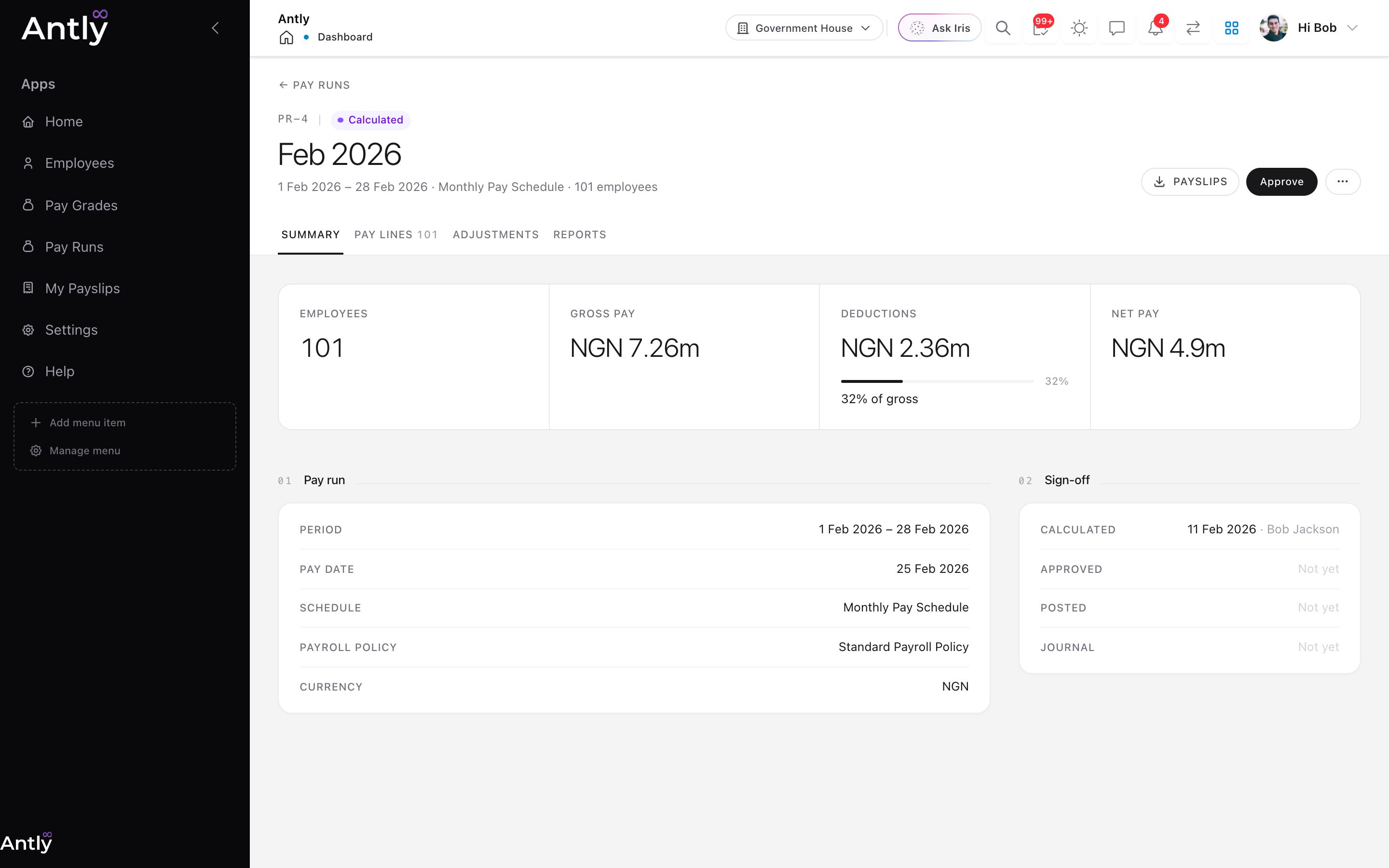 Summary of a calculated run, with Approve as the next step.
3. Review Pay Lines
The Pay lines tab has one row per employee: gross, tax, deductions and net pay. Search for a person, or tick rows to act on several at once. The organisation selected in the header limits the lines to that organisation's people.
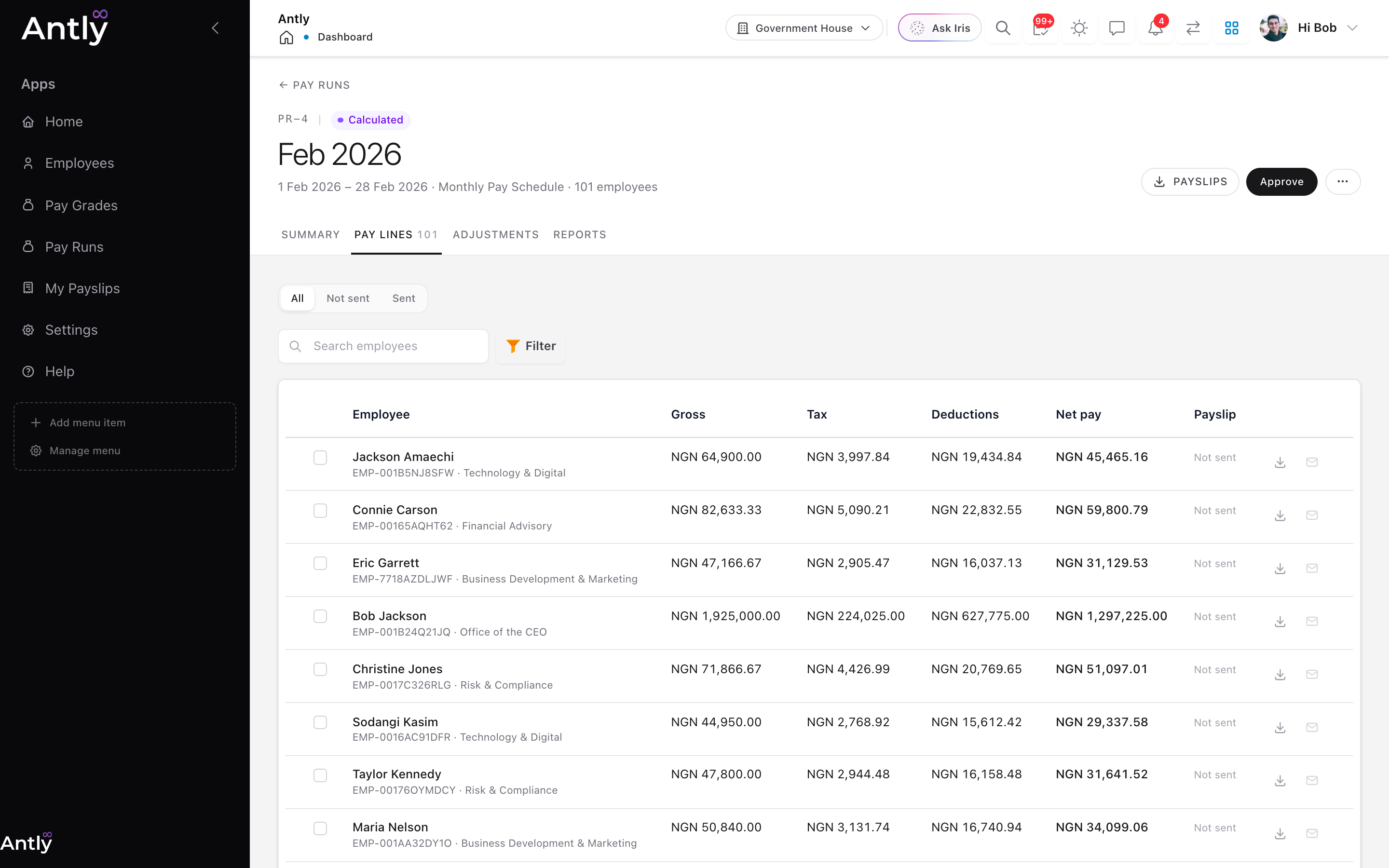 Pay lines: one row per employee, with payslip download and email on each row.
4. Adjust (If Needed)
The Adjustments tab holds one-off earnings and deductions for this run only, such as a bonus, arrears or a recovery. Add them one at a time, or download the Template, fill in an amount per employee per policy, and Import it.
Adjustments need approving before they count. Approve or reject them here, then recalculate the run. Adjustments can only change while the run is draft or calculated.
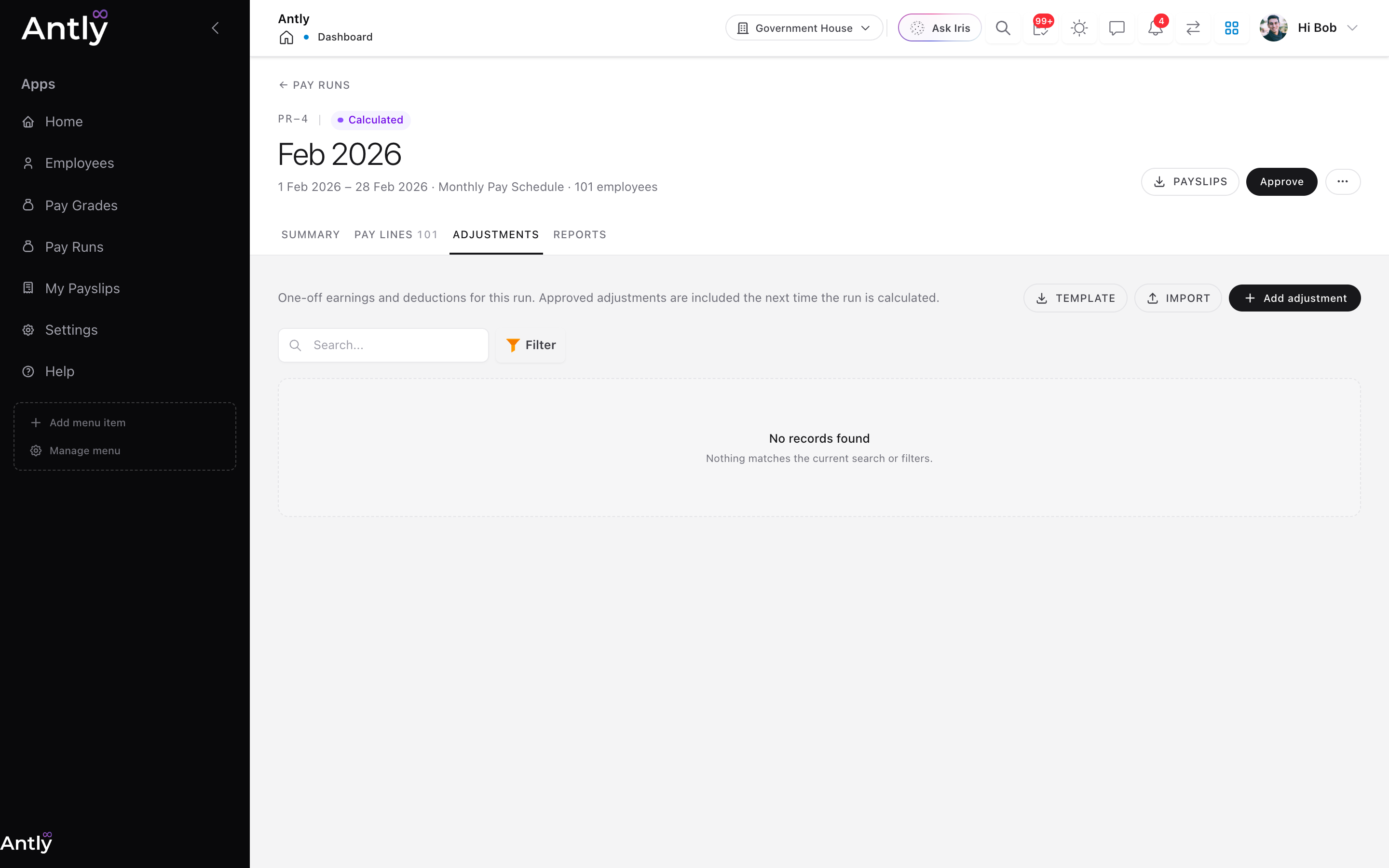 One-off adjustments for this run, with template download and import.
5. Approve
Choose Approve once the figures are right. If the payroll policy names an approver, only they (or an administrator) can approve. Approving locks the run's figures, schedule, period and pay date. To change anything, use … → Return to draft.
If the policy does not require approval, the run can be posted straight from Calculated.
6. Post
Choose Post to record the run as paid. When the payroll policy maps GL accounts, Antly posts a balanced journal to the ledger:
| Side | Account | Amount |
|---|---|---|
| Debit | Expense account | Total payroll cost |
| Credit | Each deduction's own account, or tax withholding / benefits | Tax and other deductions |
| Credit | Cash account | Net pay |
If an amount has nowhere to go, posting stops and names the account to map. Workspaces that have not mapped any accounts post without a journal.
A posted run can be voided from the … menu. Voiding reverses its journal and cannot be undone.
7. Payslips
Payslips are PDFs built from the Payslip Report, so you can change their layout in Reports.
Download
- One employee: the download icon on their pay line.
- Selected employees: tick their rows and choose Download for a ZIP.
- Everyone: Payslips in the run's header. Up to 20 payslips download straight away; for larger runs the ZIP is prepared in the background and emailed to you, in parts of up to 500 payslips.
Downloads work once a run is calculated, so payslips can be checked before approval.
Email (once the run is approved)
- One employee: the email icon on their pay line.
- Selected employees: tick their rows and choose Email.
- Everyone: Send payslips in the header, or Email everyone not sent to fill gaps after a first send.
Emails go out in the background. Each pay line records when and where its payslip was sent, and you get a summary email listing anyone skipped (no email address) or failed. Use the Sent / Not sent filter on Pay lines to follow up.
8. Reports
The Reports tab gathers the run's documents: the payslip ZIP, the payment mandate (net pay per employee with bank details, one column per earning and deduction), the bank payment file, the pay run summary and the payroll summary export.
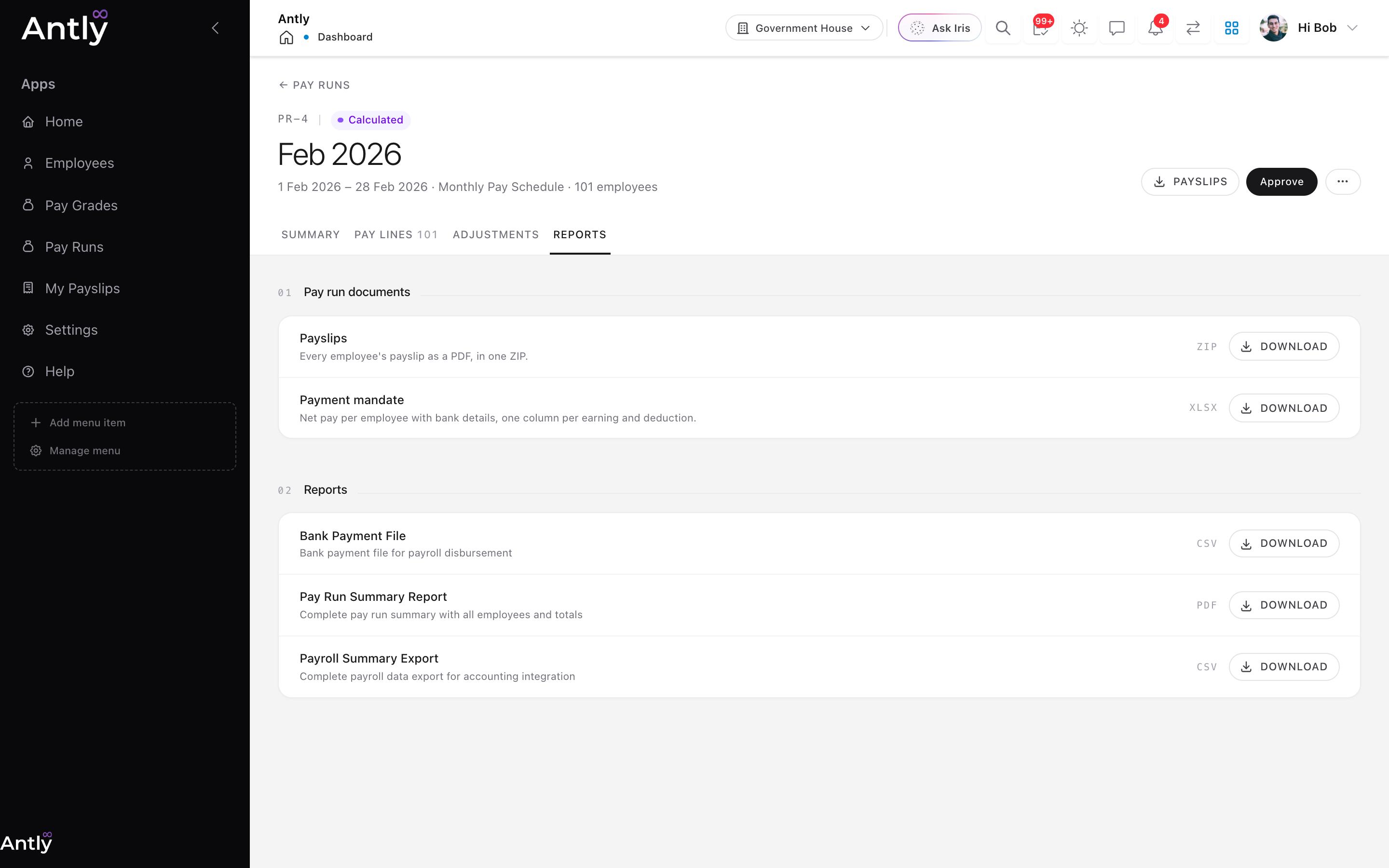 Everything to hand to the bank, finance and auditors after a run.
Employees
Payroll → Employees lists everyone with their computed pay. Open a person to see their pay at a glance:
- Salary: current pay, frequency, grade and step, direct compensation.
- Earnings and Deductions: policies assigned to them individually.
- Payslips: every run they were in, its status, gross and net, when the payslip was sent, and a PDF download.
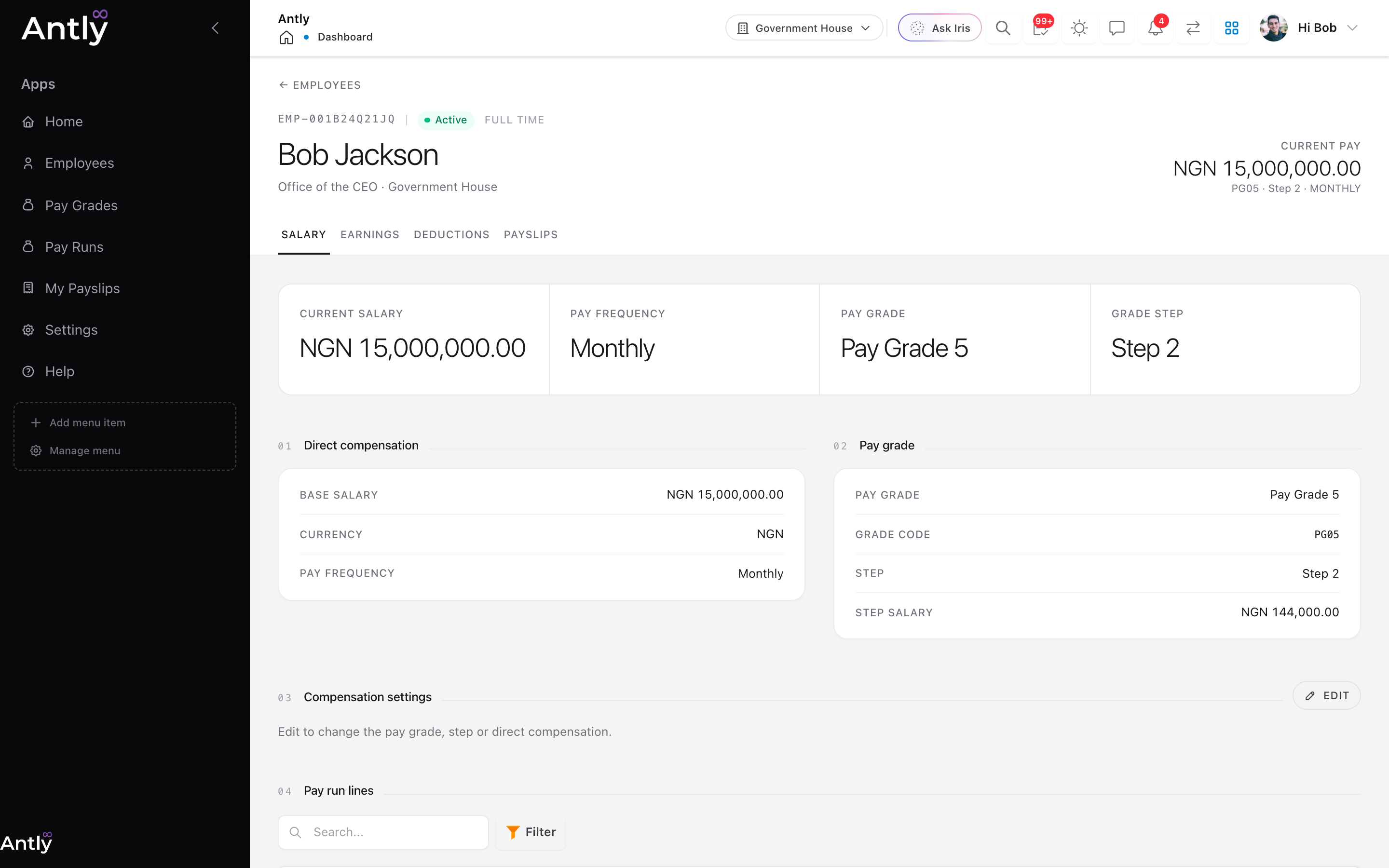 An employee's Salary tab.
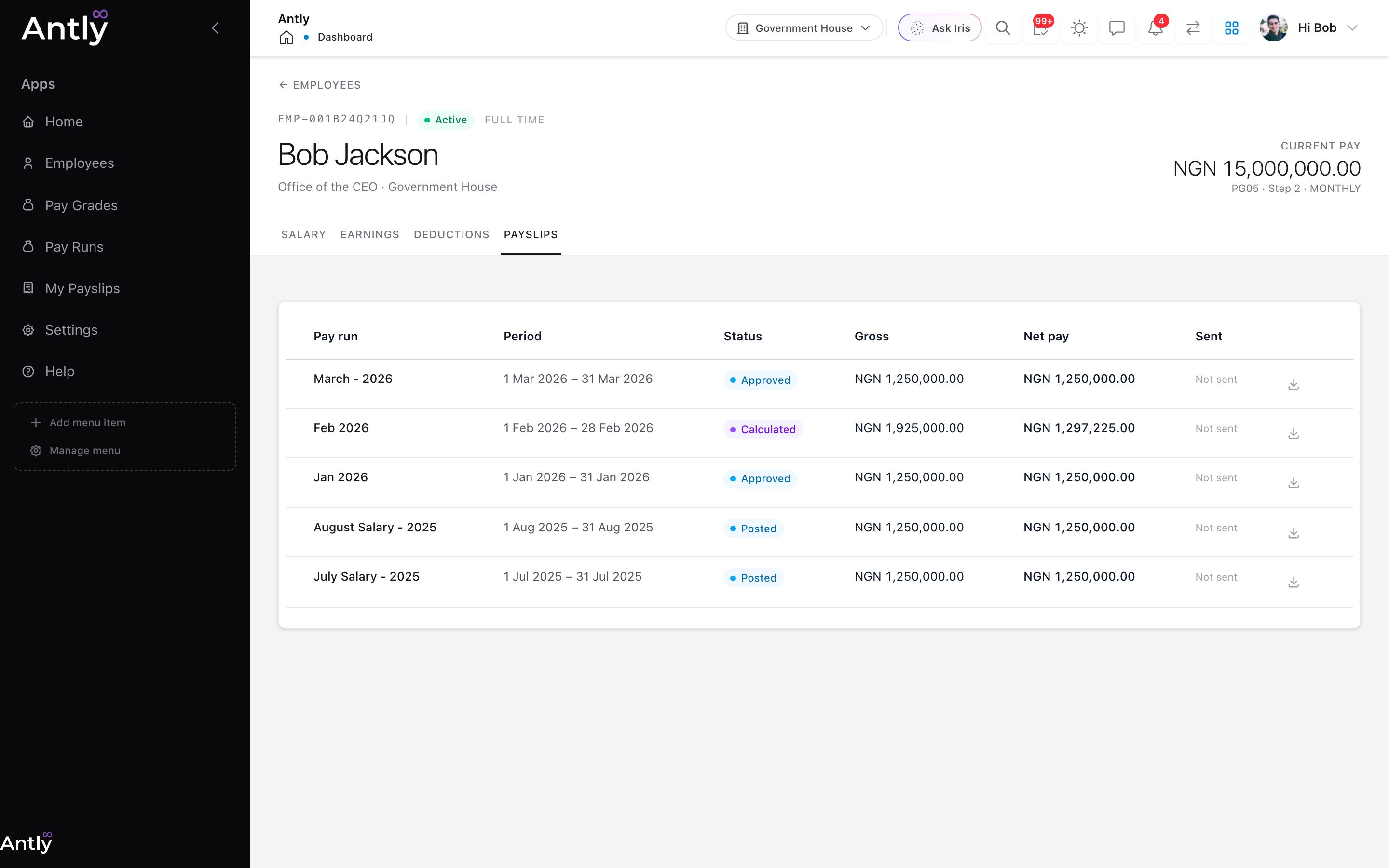 The same employee's payslips across every pay run.
My Payslips
Every employee has Payroll → My Payslips: their latest net pay, totals for the year, and a PDF for each payslip from a posted run. They only ever see their own.
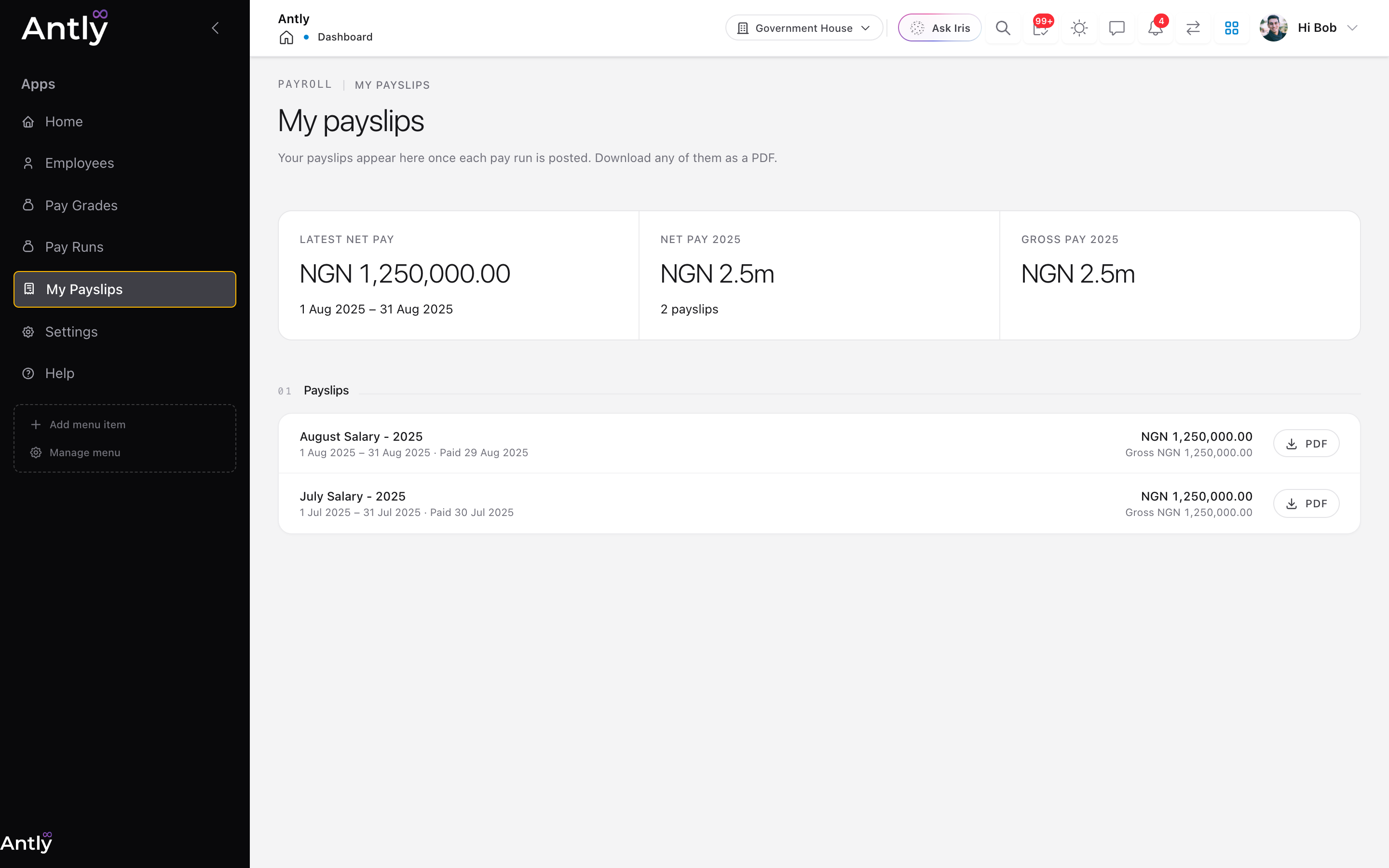 Employee self-service: download any posted payslip.
Each Period, In Short
- Check HCM changes for the period: joiners, leavers, promotions and salary changes.
- Create (or open the automatic) pay run and calculate it.
- Fix anyone left out, add adjustments, recalculate.
- Review pay lines and download a few payslips to check.
- Approve, post, then send payslips.
- Download the payment mandate or bank file for the bank.